Inspect Metadata
Every GONet observation contains a substantial amount of metadata describing the circumstances under which the image was acquired.
The metadata inspection tools provide a convenient way to explore this information without manually parsing image headers or embedded data structures.
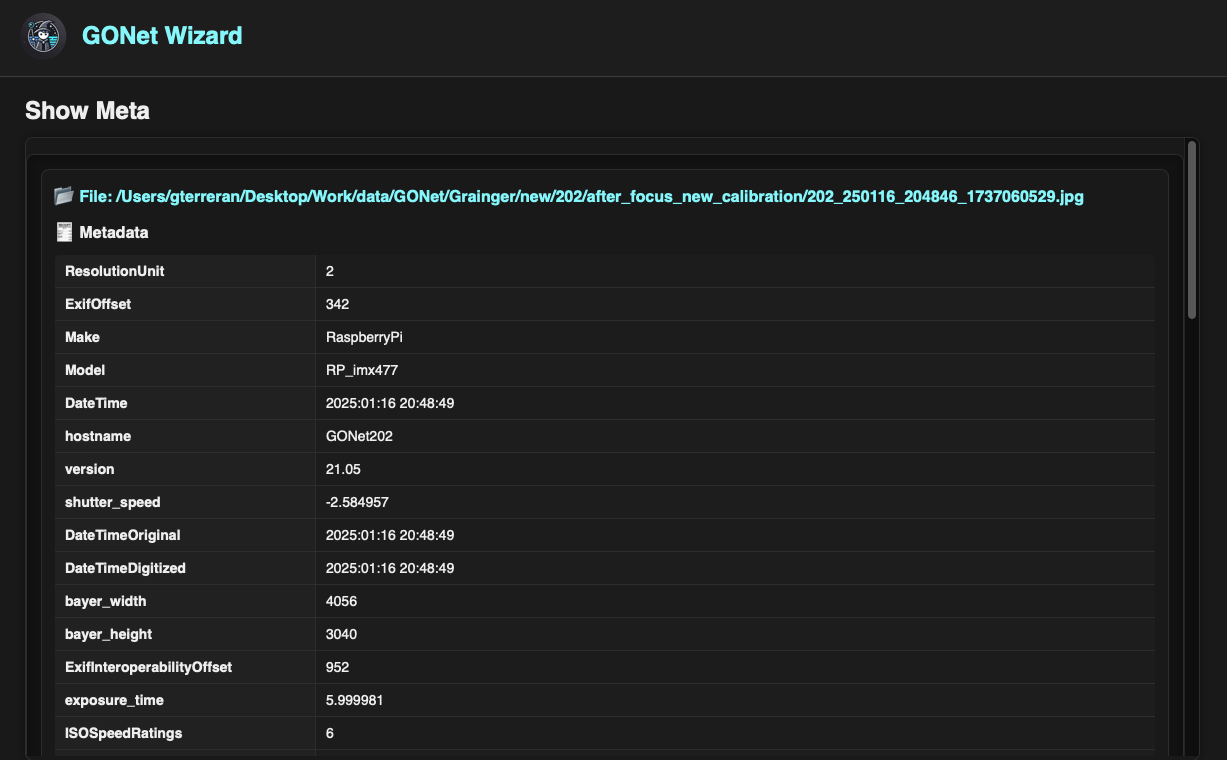
The metadata inspection tool displaying acquisition and camera information for a GONet observation.
Typical Uses
The metadata inspection tool is commonly used to:
Verify acquisition settings.
Confirm exposure times and ISO values.
Check camera configuration.
Compare observations from multiple cameras.
Review image dimensions and Bayer resolution.
Verify timestamps and observation chronology.
Inspect environmental and location information.
Troubleshoot unexpected image characteristics.
Multiple Files
Multiple images may be inspected simultaneously.
Each file is displayed in its own metadata section, allowing observations to be compared side-by-side by scrolling through the results.
This is particularly useful when comparing observations acquired under different conditions or from different cameras.
Warning
Loading a large number of files simultaneously may increase memory usage and reduce responsiveness.
Available Information
Depending on the contents of the image, the metadata viewer may display information from several categories.
Camera Information
Information describing the camera and acquisition software.
Examples include:
Camera model.
Hostname.
Software version.
Sensor configuration.
Acquisition Parameters
Information describing how the image was acquired.
Examples include:
Exposure time.
ISO setting.
Analog gain.
White balance configuration.
Shutter speed.
Timing Information
Observation timestamps and acquisition chronology.
Examples include:
DateTime
DateTimeOriginal
DateTimeDigitized
Image Geometry
Information describing image dimensions.
Examples include:
JPEG width and height.
Bayer width and height.
Sensor resolution.
Location Information
When available, geographic information may be present.
Examples include:
Latitude.
Longitude.
Altitude.
Image Encoding Information
Low-level image and EXIF metadata.
Examples include:
Color space.
Component configuration.
Resolution units.
JPEG encoding parameters.
Accessing the Tool
The metadata inspection tool can be accessed through both the graphical user interface and the command-line interface.
See:
Where to Go Next
Need |
Page |
|---|---|
Launch metadata inspection from the GUI |
|
Run metadata inspection from the terminal |
|
Understand GONet image structure |
|
Review the implementation API |