Show Metadata
The Show Metadata form launches the GONet Wizard metadata inspection tool from the graphical interface.
Note
This page explains how to launch metadata inspection from the GUI.
To learn what the metadata inspection tool displays and why those fields matter, see metadata inspection tool guide.
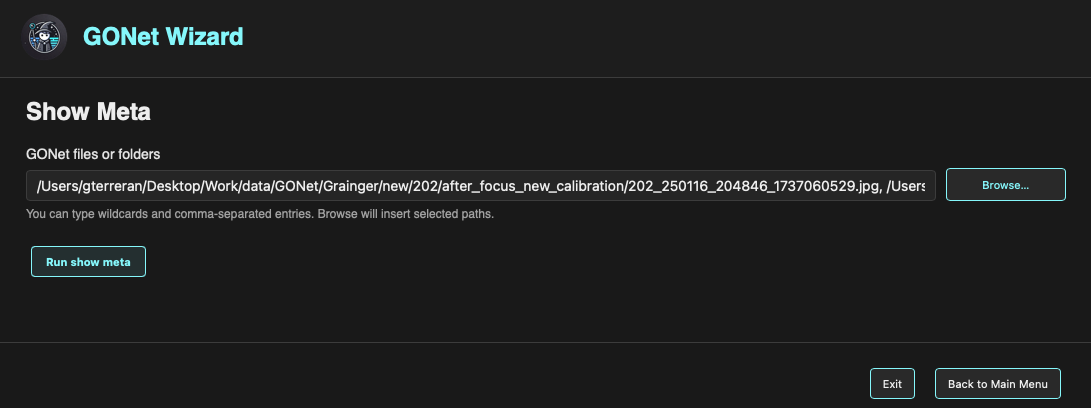
Show Metadata form in the GONet Wizard graphical interface.
Overview
The Show Metadata form is used to select one or more GONet files and open a metadata viewer.
The metadata viewer displays information such as camera configuration, acquisition parameters, timestamps, image geometry, and other metadata stored or derived from the selected observations.
Selecting Files
The GONet files or folders field defines the input images.
Files can be selected in two ways.
Typing Paths
Paths may be typed directly into the text field.
The field supports:
Single file paths.
Folder paths.
Comma-separated entries.
Wildcards.
This makes it possible to inspect metadata for several files or groups of files without using the file browser.
Browsing for Files
The Browse… button opens a file picker.
Multiple files may be selected at once. When the selection is confirmed, the selected paths are inserted into the input field automatically.
Running the Metadata Viewer
To launch the metadata inspection viewer:
Select one or more files or folders.
Click Run show meta.
The metadata viewer opens in a separate window. The form page also shows a terminal-style feedback panel so save and exit actions remain visible after the viewer window closes.
Multiple Files
When multiple files are selected, metadata for each file is displayed in the viewer.
The results can be inspected by scrolling through the output window.
Saving Metadata to PDF
The metadata viewer includes a Save PDF button at the bottom of the window. Clicking this button opens the operating system save dialog so you can choose both the folder and filename. After a path is selected, the metadata viewer closes and the PDF is written in the background. Progress and the final saved path are shown in the Show Metadata feedback panel.
The PDF contains the same metadata content shown in the viewer, organized as file-level tables.
Relationship to the CLI
The Show Metadata form is the graphical frontend for the show_meta
command.
Both interfaces use the same processing engine and produce the same metadata inspection output.